
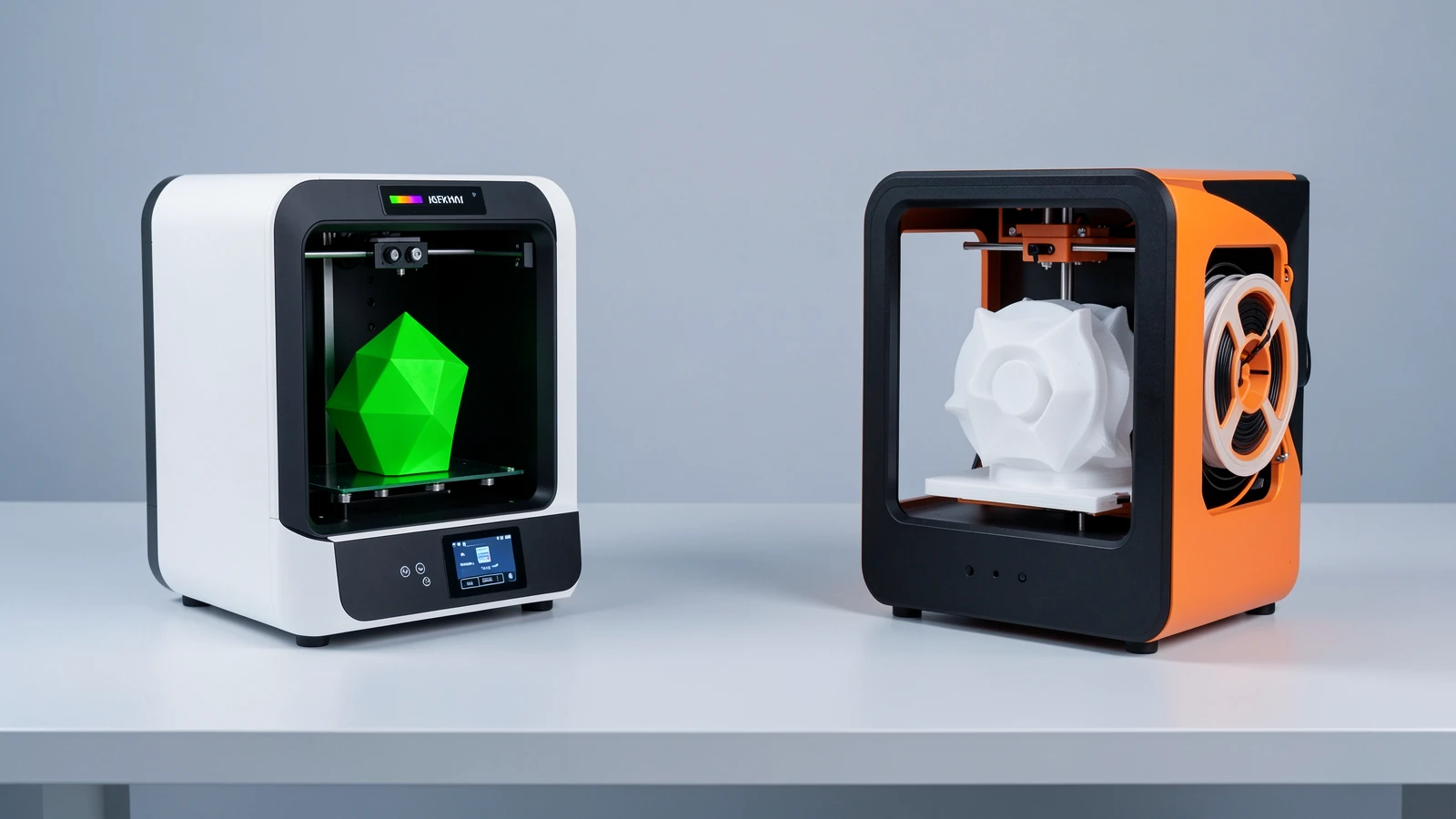
Quick answer: For most first-time buyers, the Bambu Lab A1 mini is the stronger pick because automated leveling, a direct-drive extruder, Wi-Fi, and a guided Bambu Studio workflow remove a lot of early-print friction. Choose the Original Prusa MINI+ instead if documentation, repairability, and Prusa’s long-running ecosystem matter more than speed claims or appliance-like setup.
Both printers share a compact 180 × 180 × 180 mm build volume and an open (non-enclosed) frame, so the decision is less about “what size can I print?” and more about workflow, support style, and how hands-on you want to be.
This comparison is based on Gadget Clash product specifications, manufacturer documentation patterns, and the same independent-consensus framing used in our beginner 3D printer guide. Gadget Clash has not bench-tested either printer. Confirm live pricing, regional kits, warranty, and included accessories before you buy.
Quick picks
Best for most first-time buyers: Bambu Lab A1 mini — lower setup friction, faster workflow, multi-color option with AMS Lite
Best if support and repairability matter most: Original Prusa MINI+ — mature docs, maintainable design, PrusaSlicer ecosystem
Need a larger build area instead? See the Creality Ender-3 V3 in our Best 3D Printers for Beginners in 2026 guide
How we chose
We compared published specs and buyer-fit criteria—not lab scores:
Setup friction (automatic bed leveling, sensors, software path)
Build volume and desk footprint for real first projects
Materials headroom (nozzle/bed temps, enclosure needs)
Extruder and motion design (direct drive vs Bowden)
Connectivity and monitoring features listed on GC product pages
Ecosystem, documentation, and long-term maintainability
Kit contents and total cost (check live; bundles differ by region)
We did not invent print-quality scores, reliability percentages, or fake speed benchmarks. Where a GC field looks incomplete or clearly wrong (for example, marketplace chips or odd weight values), we omit it rather than treat it as gospel.
At a glance
| Criterion | Bambu Lab A1 mini | Original Prusa MINI+ |
|---|---|---|
| Best for | Most beginners; guided first prints | Support-first / repairable compact pick |
| Technology | FDM/FFF | FDM/FFF |
| Build volume | 180 × 180 × 180 mm | 180 × 180 × 180 mm |
| Enclosed | No | No |
| Extruder | Direct drive | Bowden, 3:1 gearing |
| Motion system | Cartesian bedslinger | Cartesian bedslinger (Y-bed) |
| Max print speed (listed) | 500 mm/s | 200+ mm/s travel (Prusa; no single max print-speed figure) |
| Max acceleration (listed) | 10,000 mm/s² | Not published by Prusa |
| Max nozzle temp | 300°C | 280°C |
| Max bed temp | 80°C | 100°C |
| Auto bed leveling | Yes | Yes |
| Filament runout sensor | Yes | Yes (optional IR add-on on many kits — confirm config) |
| Built-in camera | Yes | No |
| Wi-Fi | Yes | Optional upgrade |
| Ethernet | Not listed on GC | Yes |
| Multi-material / multi-color | Yes with AMS Lite | No (MMU not supported) |
| Supported materials (GC) | PLA, PETG, TPU, PVA | PLA, PETG, ASA, ABS, PC, CPE, PVA/BVOH, PVB, HIPS, PP, Flex, nGen, Nylon, Woodfill + filled |
| Filament / nozzle | 1.75 mm; 0.40 mm stainless | 1.75 mm; 0.4 mm default (other diameters supported) |
| Weight | Check product page | 4,500 g (~4.5 kg) |
| Slicer support (GC) | Bambu Studio, OrcaSlicer | PrusaSlicer |
| Reference price | Check live | Check live |
Specs above are taken from the Gadget Clash product pages for the A1 mini and MINI+. Use the compare tool for a full side-by-side.
1. Bambu Lab A1 mini — best for most first-time buyers
Full Bambu Lab A1 mini specs on Gadget Clash →
The A1 mini is the default recommendation when someone wants successful PLA prints quickly without treating the machine like a weekend engineering project. Its 180 × 180 × 180 mm cube is enough for miniatures, desk organisers, gadget mounts, replacement clips, and many hobby parts. GC lists a Cartesian bedslinger motion system, direct-drive extruder, automatic bed leveling, filament runout sensor, built-in camera, and Wi-Fi.
Stated maximums on the product page include 500 mm/s print speed and 10,000 mm/s² acceleration. Treat those as manufacturer capability figures—not a promise that every model will print at the ceiling. The practical win for beginners is the guided path: automated calibration habits, Bambu Studio (with OrcaSlicer also listed), and a workflow that feels closer to an appliance than a kit.
On materials, GC lists PLA, PETG, TPU, and PVA, with a 300°C max nozzle and 80°C max bed. The frame is not enclosed, so start with PLA and treat engineering filaments (ABS/ASA and similar) as a later step that often benefits from enclosure and ventilation. Multi-color / multi-material printing is listed as yes with AMS Lite—budget that accessory separately if color swaps are a day-one goal.
Choose it if: you want the least stressful route into FDM printing, value automatic leveling and monitoring features, and do not need a larger-than-180 mm build.
Skip it if: repairability and open documentation matter more than guided convenience, or you already know you need a bigger build volume (consider the Ender-3 V3 path instead).
2. Original Prusa MINI+ — best compact pick for support and learning
Full Original Prusa MINI+ specs on Gadget Clash →
The MINI+ matches the A1 mini on headline size—180 × 180 × 180 mm, open frame, FDM/FFF—but aims at a different buyer personality. GC lists a Bowden extruder with 3:1 gearing, automatic bed leveling, a higher 100°C bed ceiling, and a 280°C max nozzle. It is also a Cartesian bedslinger (the heatbed moves on Y). Connectivity: Ethernet yes, Wi-Fi optional. There is no built-in camera, and MMU multi-material is not supported. Filament is 1.75 mm with a 0.4 mm default nozzle; weight is 4,500 g. Materials on GC follow Prusa’s supported list (PLA, PETG, ASA, ABS, PC, flexible and filled materials, and more). Prusa does not publish a Bambu-style single max print-speed / acceleration headline; older Prusa copy cites 200+ mm/s travel, with current firmware emphasizing Input Shaper and Pressure Advance.
It is not the pick for someone chasing the highest listed speed number. Its strength is a mature Prusa ecosystem: clear documentation habits, replaceable parts culture, and PrusaSlicer profiles that help you understand why a print succeeds or fails instead of only watching a cloud dashboard. That makes it a sensible first printer for buyers who want to learn the machine, keep it for years, and prioritize supportability over “print something tonight with minimal questions.”
Filament runout sensing is Yes on GC for this listing; Prusa also sells the IR filament sensor as an optional add-on depending on kit/bundle—confirm what your exact config includes. Where our beginner roundup discusses mesh calibration, magnetic sheets, and replaceable nozzles, treat those as category context—and confirm the exact kit on the current retailer or manufacturer listing for your region.
Choose it if: long-term support, repairability, and learning how the printer works matter more than maximum speed claims or a camera/Wi-Fi-first kit.
Skip it if: you mainly want the most guided, low-friction first-print experience and are happy inside Bambu’s software and accessory ecosystem.
Buy for workflow, not only the speed headline
A 500 mm/s figure looks decisive on a comparison table, but first-layer reliability, leveling, and slicer profiles usually decide whether a beginner finishes their first week happily. Prefer the printer whose setup path matches how much tinkering you actually want.
Match build volume to the objects you will print
Both machines are compact 180 mm cubes. That is plenty for miniatures, organisers, and small functional parts. If you already know you need larger props or one-piece household items, step up to a ~220–250 mm class printer rather than forcing oversized jobs onto either mini.
Start with PLA on an open printer
Neither machine is enclosed (per GC). PLA is the forgiving default. PETG and TPU come next once first layers and supports make sense. Materials that warp easily or want higher chamber temperatures are a poorer day-one fit on a small open frame.
Price the usable kit
Compare what is in the box: filament sample, AMS Lite (A1 mini multi-color path), spare nozzles, PEI/sheet type, and whether Wi-Fi is included or optional. Marketplace chips and “from” prices change—check live on the GC product pages and official stores for your region.
Decide how much you want to open the hood
If you enjoy learning mechanics, tuning, and parts replacement, Prusa’s culture is a feature. If you want printing to feel closer to “slice → send → monitor,” the A1 mini’s feature set (auto-leveling plus camera/Wi-Fi on GC) usually fits better.
Our verdict
For most beginners, buy the Bambu Lab A1 mini. Same compact build volume as the MINI+, with a denser beginner-friendly feature set on the GC page—direct drive, auto leveling, runout sensor, camera, Wi-Fi, and a clear multi-color upgrade path via AMS Lite.
Choose the Original Prusa MINI+ when support, repairability, and ecosystem longevity are the priority, or when you specifically prefer PrusaSlicer and a more hands-on learning curve.
Neither printer is the right “large object” answer. For that, start with the larger-build section of Best 3D Printers for Beginners in 2026.
Gadget Clash has not bench-tested either model. Confirm current price, warranty, power/region kit, and accessories before checkout.
Before you buy
Confirm the exact SKU and kit (assembled vs kit where offered; AMS Lite bundled or not).
Check regional power plugs, local warranty, and return windows.
Budget filament, a spare PEI/sheet if needed, and storage for a dry spool—total cost is more than the printer headline.
Measure desk depth: bedslingers need clearance behind/in front as the bed moves.
Open both product pages—or use /compare/—and re-check any field that affects your decision (temps, connectivity, materials).
Is the Bambu Lab A1 mini better than the Prusa MINI+?
For most first-time buyers, yes—mainly because of lower setup friction and a richer beginner feature set on the GC page. The MINI+ can still be the better buy if support and repairability are your top criteria.
Do both printers have the same build volume?
Yes. Gadget Clash lists 180 × 180 × 180 mm for both. Size is not the differentiator; workflow and ecosystem are.
Which is better for multi-color prints?
The A1 mini lists multi-material / multi-color support with AMS Lite. The MINI+ GC page does not list an equivalent multi-color system—confirm any third-party path separately if that is a must-have.
Can beginners print PETG or TPU on these?
GC lists PLA, PETG, TPU, and PVA for the A1 mini. The MINI+ materials list includes PETG, Flex, and many others per Prusa’s supported set—still start with PLA and manufacturer profiles. Neither is enclosed, so treat ABS/ASA-style materials cautiously.
Does the Prusa MINI+ have Wi-Fi?
GC lists Wi-Fi as an optional upgrade, with Ethernet present. The A1 mini lists Wi-Fi as yes.
Should I buy an enclosed printer instead?
Only if you already know you need materials or consistency that benefit from an enclosure. For learning PLA on a desk, these open compact printers are a normal starting point.
Where can I compare full specs side by side?
Use the product pages for the A1 mini and MINI+, or add both in the Gadget Clash compare tool. Browse more models under 3D Printers.
—
**Editorial / source note: Specs pulled from Gadget Clash product pages and official Prusa MINI+ documentation (checked 19 September 2026, Europe/Belgrade). Marketplace price chips can be outliers—check live price, stock, and kit contents. Gadget Clash has not bench-tested either printer.