
Our picks
Live prices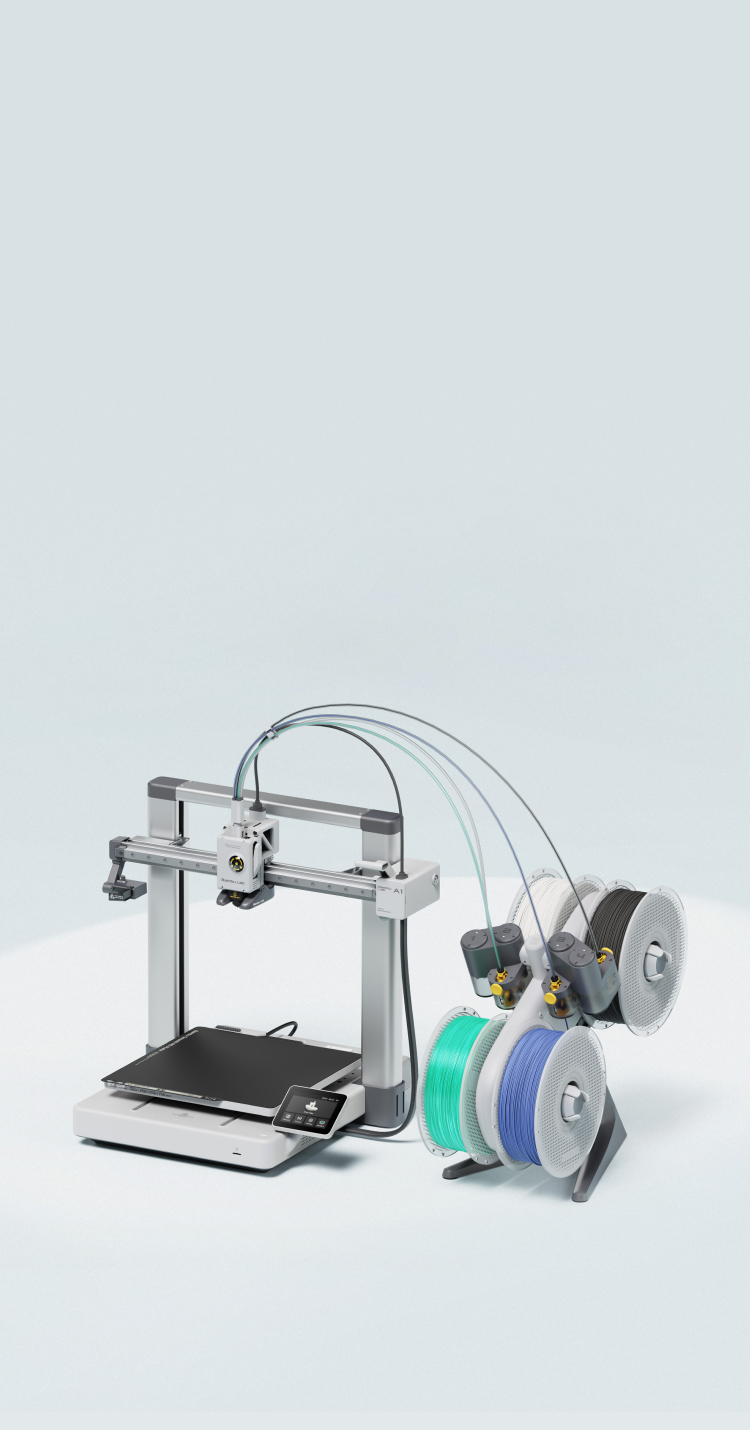
Quick answer: Buy the Bambu Lab A1 (or current A1-class kit you can afford) if you want a polished beginner-friendly FDM workflow with strong multi-color accessory paths and a guided ecosystem. Buy a Creality K1-class machine if you want enclosed CoreXY speed vibes and are comfortable with community tuning. Confirm exact A1 vs A1 combo vs K1/K1C generations—names move fast. This is separate from our A1 mini vs Prusa MINI+ clash.
Midrange FDM buyers outgrow mini beds and want faster reliable prints. Brand ecosystems differ as much as peak mm/s marketing.
Gadget Clash has not run independent lab benches for the products in this guide. Treat feature claims as manufacturer/documentation patterns plus buyer-fit framing. Confirm current SKUs, firmware, regional models, and return policies before you buy. Prices move; any dollar figures are reference bands, not checkout promises.
Quick picks
- Guided ecosystem: Bambu A1 class
- Enclosed speed tinkerer: K1 class
- Mini bed still OK? Stay mini
How we chose
- Automation vs enclosure
- Ecosystem accessories
- Community skill requirement
- Noise/desk fit
- Total bundle price
- Parts availability
At a glance
| Criterion | Bambu A1 class | Creality K1 class |
|---|---|---|
| Ease for beginners | Very guided | More DIY culture |
| Enclosure | Typically open A1 | Enclosed K1-class |
| Multi-color path | AMS-style accessories | Varies by kit/mods |
| Tinker tax | Lower for stock profiles | Higher community tuning |
| Best for | Low-friction first year | Enclosed speed enthusiasts |
Roles and buyer fits—not invented lab rankings. Verify the exact listing in your region.
1. Bambu Lab A1 class — best for low-friction FDM
The A1 line aims at approachable bed size upgrades from mini printers with automated assists and an ecosystem that steers newcomers toward working profiles. Multi-color add-ons are a major reason people pick Bambu—budget for them separately if that is your dream.
Open-frame designs need draft awareness. Follow official maintenance for nozzles and plates.
Choose it if: you want fewer failed first months and may want AMS-style color later.
Skip it if: you need a stock enclosure for engineering filaments in a cold garage.
2. Creality K1 class — best when enclosed CoreXY speed is the pitch
K1-class printers market enclosed, faster CoreXY-style printing. Owners often lean on community profiles and occasional mechanical tweaks. That can be empowering or exhausting depending on your patience.
Spare parts and Aftermarket for Creality are widely available—verify your exact K1/K1C/revision before copying a YouTube mod list.
Choose it if: you want enclosure + speed and accept tuning culture.
Skip it if: you want the most appliance-like experience possible.
Before you buy
Compare current street bundles
Plate, filament, AMS—normalize prices.
Noise and placement
Faster printers are not silent.
Filament path
PLA first; ABS needs thermal honesty.
Support channels
Official + Discord/forums—know where you will ask for help.
Bed size vs spare room
Measure the desk, not the dream model.
Our verdict
Pick A1-class Bambu for guided success and color ecosystem gravity. Pick K1-class Creality for enclosed speed and tinkerer energy. If you need micro-bed portability, revisit mini-class machines instead.
Is K1 always faster than A1?
Marketing speeds ≠ your sliced reality. Compare community prints for similar models.
Which for PETG?
Both can—tune temps and cooling; enclosure helps some materials.
Do I need multi-color day one?
No. Master single-extruder reliability first.
What about Prusa?
Different value story—see our mini clash; midrange Prusa SKUs are another shortlist.